

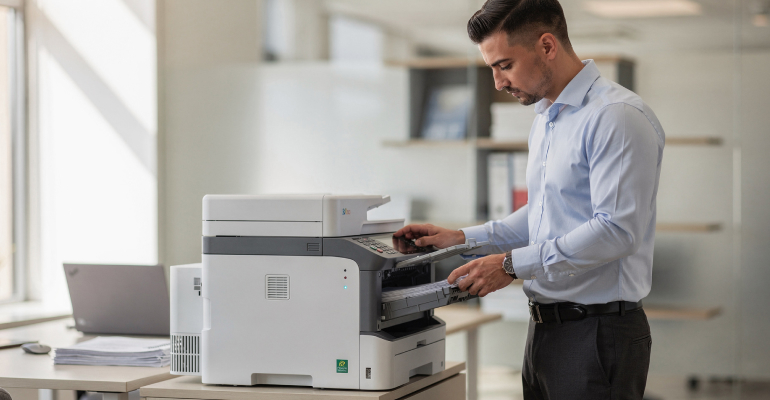
How to Choose the Right Printer Settings for Everyday Use
Printer settings play a significant role in print quality, speed, and overall efficiency. Many users rely on default settings without realizing how small adjustments can improve results and reduce unnecessary ink or toner usage. Understanding common printer settings and when to adjust them helps ensure consistent performance for everyday printing tasks.
Understanding Default Printer Settings Printers are typically configured with default settings designed to balance quality and resource usage. These defaults work well for general tasks, but they may not always match specific needs. For example, draft or economy modes may be enabled to conserve ink, while higher quality modes may be set for color printing. Reviewing default settings provides a starting point for customization based on typical usage patterns.
Print Quality and Resolution Options
Print quality settings control how much ink or toner is applied and how detailed the output appears. Higher resolution settings produce sharper text and more accurate colors, but take longer to print and use more resources. For everyday documents such as emails, notes, or internal reports, normal quality is usually sufficient. Reserving high-quality modes for presentations or images helps maintain efficiency.
Color vs Grayscale Printing
Many printers allow users to choose between color and grayscale printing. Color printing uses multiple cartridges, even for text documents that appear black. Grayscale or black-only modes reduce color ink usage and extend cartridge life. Selecting the appropriate color setting before printing helps manage supplies without sacrificing readability.
Paper Size and Type Selection
Choosing the correct paper size and type ensures accurate alignment and prevents printing errors. Mismatched settings can cause content to print incorrectly or lead to feeding issues. Setting paper type correctly also affects how ink or toner is applied. Using plain paper settings for everyday tasks helps maintain consistency and avoid unnecessary adjustments.
Duplex and Page Layout Options
Duplex printing, which prints on both sides of the paper, reduces paper usage and is useful for multi-page documents. Page layout options, such as multiple pages per sheet, can also help conserve resources. Understanding these settings allows users to adjust output format based on the document's purpose.
Managing Print Preview and Scaling
Print preview tools show how a document will appear before printing. Reviewing previews helps catch formatting issues and ensures content fits the selected paper size. Scaling options allow documents to be resized to fit the page properly, preventing cropped content or blank margins.
Saving Custom Presets
Many printers allow users to save custom presets for frequently used settings. Creating presets for common tasks, such as text documents or reports, reduces the need to adjust settings each time. Using presets improves consistency and saves time during routine printing.
Adjusting Settings Based on Usage Frequency
Printers used frequently benefit from efficient settings that balance speed and resource usage. Infrequent use may require additional maintenance, making proper settings even more important. Adapting settings to match printing habits helps maintain reliable performance over time.
Thoughtful Settings Improve Everyday Printing
Choosing the right printer settings helps optimize print quality, speed, and resource usage. By understanding quality modes, color options, paper settings, and layout tools, users can tailor printing to everyday needs. Small adjustments lead to more predictable results and smoother printing experiences.


