

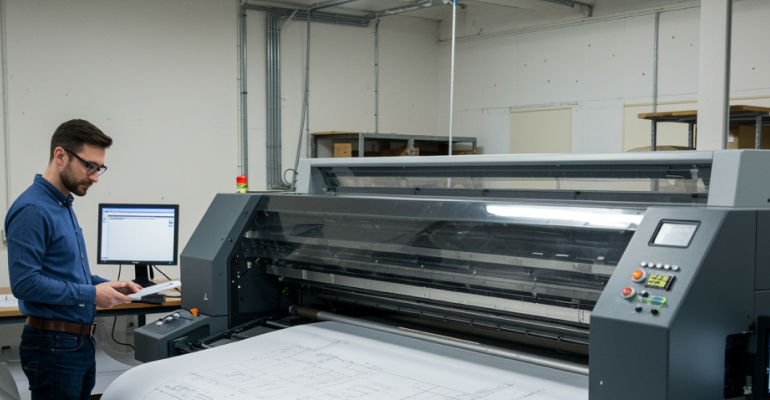
Large Format Printer Setup Tips for First-Time Users
Large format printers are designed to handle wider media and higher-volume output, making them popular for design studios, offices, and specialized printing needs. For first-time users, setting up a large-format printer can feel more complex than setting up a standard desktop model. Understanding the setup process and preparation steps helps ensure smooth operation from the start.
Planning Space and Placement Large-format printers require more space than standard printers. Before setup, it is important to choose a location that provides enough room for loading media, accessing panels, and allowing proper airflow. Uneven or crowded spaces can make setup difficult and affect long-term performance. Placing the printer on a stable, level surface helps prevent alignment issues and reduces vibration during operation. Ensuring nearby access to power outlets and network connections simplifies installation.
Reviewing Power and Electrical Requirements
Large-format printers may have specific power requirements due to their size and internal components. Checking voltage compatibility and using dedicated power outlets helps avoid interruptions during setup and operation. Avoid using extension cords unless recommended by the manufacturer. A stable power source ensures the printer completes its initialization and calibration processes correctly.
Installing Ink or Toner Systems
Many large-format printers use multiple ink cartridges or advanced ink systems. During setup, each cartridge must be installed correctly and allowed to initialize fully. This process may take longer than with smaller printers and should not be interrupted. Carefully following on-screen or printed instructions ensures proper ink flow and prevents recognition issues later.
Loading Media and Adjusting Guides
Large-format printers support various media types and widths. Loading media correctly is essential to prevent skewing or feeding issues. Paper rolls or sheets should be aligned evenly, and guides should be adjusted according to the media size. Using recommended media during initial setup helps confirm that the printer feeds correctly before introducing specialty materials.
Connecting to Devices and Networks
Large-format printers often support wired, wireless, or network connections. Selecting the appropriate connection type depends on how the printer will be used. Office environments may benefit from network connections that allow multiple users to access the printer. Ensuring the printer and connected devices are on the same network helps avoid detection and communication issues.
Installing Drivers and Software
Installing the correct drivers is essential for large-format printers, as these devices often include advanced settings for media handling and print resolution. Downloading drivers from the manufacturer’s official website ensures compatibility with the operating system. Some large-format printers also include software tools for layout, scaling, and color management. Installing these tools during setup helps unlock full functionality.
Performing Initial Calibration and Testing
Calibration is an important step in large-format printer setup. This process aligns internal components and ensures accurate print placement across wide media. Calibration may include printing test patterns or adjusting alignment settings. Printing a test job confirms that the printer is feeding media correctly and producing expected output.
Understanding Maintenance Needs Early
Large-format printers often require regular maintenance due to their size and usage patterns. Understanding maintenance alerts, cleaning routines, and consumable replacement schedules early helps avoid unexpected interruptions. Keeping setup documentation accessible makes it easier to perform routine checks when needed.
Avoiding Common First-Time Mistakes
Skipping calibration, rushing ink initialization, or using unsupported media can lead to setup issues. Taking time to follow each step carefully helps prevent these problems. Reading the user manual thoroughly before starting setup provides valuable guidance and reduces uncertainty.
Preparation Makes Large Format Setup Manageable
Setting up a large-format printer for the first time requires planning, patience, and attention to detail. By preparing the workspace, following installation steps carefully, and completing calibration and testing, users can establish reliable operation from the beginning. A thoughtful setup approach ensures the printer is ready to handle wide-format tasks with consistency and confidence.


