

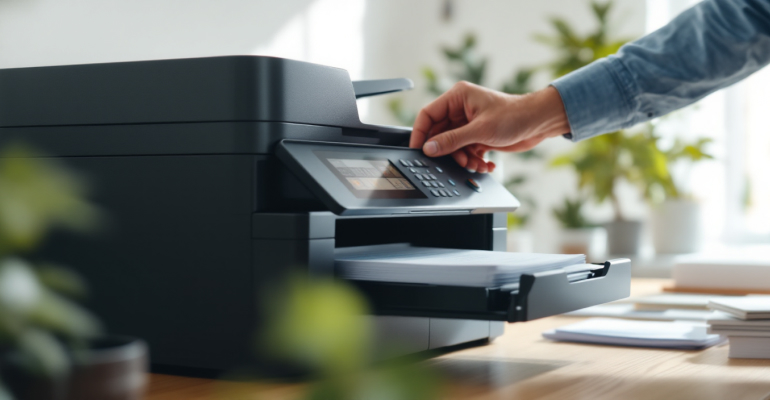
Printer Making Unusual Noises and When to Be Concerned
Printers normally produce a range of sounds during operation, such as gentle humming, clicking, or whirring as internal components move. However, when a printer starts making unfamiliar or loud noises, it can raise concerns about potential problems. Understanding which sounds are normal and which may indicate an issue helps users respond appropriately and avoid unnecessary damage.
Common Sounds During Normal Operation During startup, printers often make short clicking or humming noises as they initialize internal components. Inkjet printers may produce brief mechanical sounds as printheads move into position, while laser printers often generate warm-up noises as internal systems prepare for printing. These sounds are typically consistent and occur in predictable patterns. Familiarizing yourself with your printer’s normal sound profile makes it easier to notice changes.
Grinding or Repetitive Clicking Noises
Grinding or repeated clicking sounds may indicate that something is obstructing the printer’s internal mechanisms. Paper fragments, foreign objects, or misaligned components can cause gears or rollers to struggle during movement. If these noises occur, it is best to stop printing and inspect accessible areas carefully. Forcing the printer to continue operating may worsen the issue.
Squeaking or High-Pitched Sounds
High-pitched squeaks or squeals may result from dry or worn rollers. Over time, rubber components can lose flexibility or accumulate residue, causing friction during paper movement. Cleaning accessible rollers according to the manufacturer's instructions may reduce these sounds. Avoid using inappropriate cleaning materials, as they can damage components.
Thumping or Knocking During Printing
Thumping sounds often occur when paper is not feeding smoothly through the printer. Misaligned paper, overloaded trays, or warped sheets can cause paper to hit internal guides unevenly. Checking paper alignment, adjusting tray guides, and using recommended paper types can help prevent these noises.
Rattling Sounds from Inside the Printer
Rattling noises may suggest that a loose component or foreign object is moving inside the printer. This can happen if a small object falls into the paper path or if internal parts shift slightly. Turning off the printer and carefully checking for loose items can help identify the source. If the noise persists and no visible cause is found, continued use may not be advisable.
Noises Related to Maintenance Cycles
Printers sometimes perform automatic maintenance routines that produce louder or unfamiliar sounds. These cycles help maintain print quality and may include movements that are not part of everyday printing. If the noise occurs during maintenance and stops afterward, it is usually normal. Consulting the printer’s documentation can help confirm whether the sound is expected.
Environmental and Placement Factors
Printer placement can amplify sounds. Placing a printer on an uneven or hollow surface may cause vibrations that make normal sounds seem louder. Ensuring the printer sits on a stable, level surface helps reduce noise and vibration. Nearby objects touching the printer can also create additional noise during operation.
When Noises Persist or Worsen
If unusual noises continue across multiple print jobs or become louder over time, it may indicate a developing issue. Persistent noise changes should not be ignored, as they may lead to further mechanical problems. Monitoring when the noise occurs, during startup, printing, or paper feeding, can help identify the affected area.
Listening Helps Prevent Larger Problems
Unusual printer noises are often early indicators of mechanical or handling issues. By understanding normal operation sounds and responding promptly to changes, users can address minor problems before they escalate. Careful inspection, proper paper handling, and stable placement help keep printers running smoothly and quietly.


